Step 4 -
Create “Birthday Offer” Facebook Ad Campaign
Step 4 -
Create “Birthday Offer” Facebook Ad Campaign
OK, let’s walk through setting up a brand new Birthday ad campaign.
To start with, we create a new ad campaign.
Choose these settings.
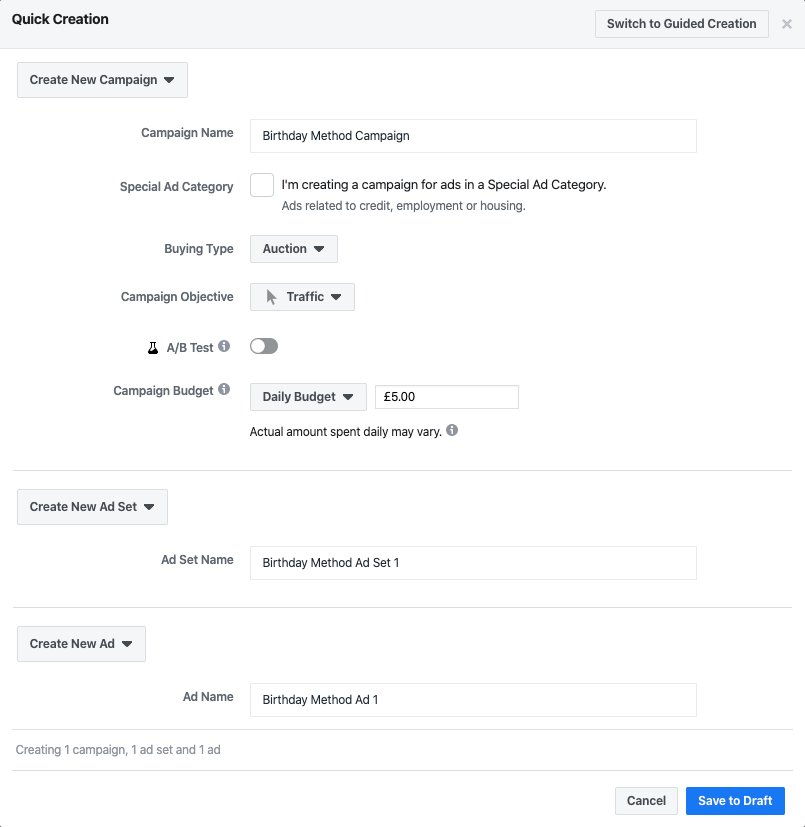
We chose “Traffic” as the campaign objective as we’re looking to send people directly to the landing page we created in STEP 1b.
NOTE: You could choose the “conversions” objective here too. However the setup required for the traffic objective is simpler and also Facebook should, in theory, be able to optimize your ad more quickly based on the traffic objective.
Feel free to experiment here to see what works best for your business as the size of your audience, your offer, the size of the area you serve (if focused on a local market) will all have an impact.
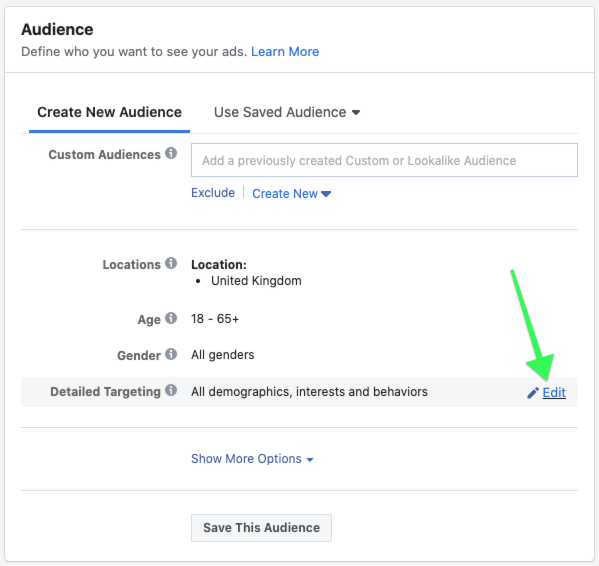
The core targeting options for the Birthday Ad Targeting Method appear at the ad set level.
Here among targeting options for age, location, custom audiences, etc, you’ll find the “Detailed Targeting” field.
Hover over it, then click the edit button: